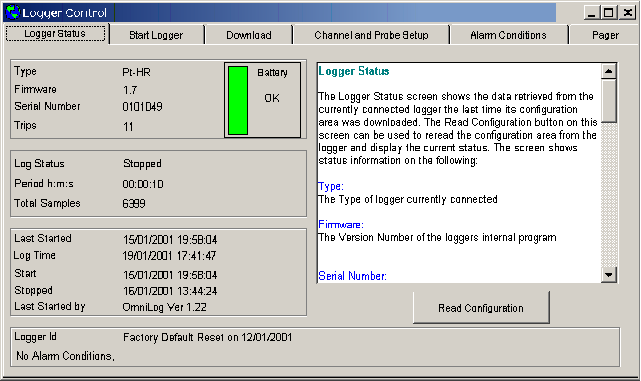
>>> View: Logger Control
>>> Ctrl L
>>>
The Logger Control Screen is a set of functions used to control the Logger or Weather Station that has been connected to the computer.
The Logger Control screen gives access to
In This Section
Logger Status
Start Logger
Download
Channel and Probe Setup
Alarm Conditions
Pager
See Also
Reference
The Main Screen
New
Open
Save
Export
Join
Print
Change Dataset Units
Add Derived Channels
Values View
Statistics View
Graph View
Values and Statistics
Graph and Values
Graph and Statistics
Trends
Real Time Screen
Reports
Re-Connect to Logger
Dataset History
Modem Control
Setup Remote Modem
Reset to Factory Defaults
Omnilog Task Wizard
Options
Flow Setup Wizard
Flow Report Wizard