


|
|
|
|
|
>>> View: Real Time
>>> Ctrl+R
>>> 
The Real Time display gives a dynamic display of data which is being continuously downloaded from a connected logger or weather station in real time. The values displayed were collected on the last read of the logger or weather station. The time interval between real time reads is setup in the Comms section of the Options screen which is accessed from the Tools Menu.
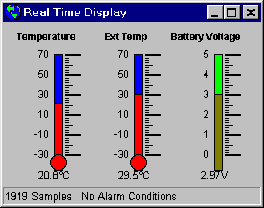
The Status Bar of the Real Time display shows the number of samples held in the Connected Logger and any alarm conditions that may have occurred.