|
|
|
|
|
>>> View: Logger Control [Download]
>>> Ctrl L [Download]
>>>  [Download]
The appearance of the Download Tab will change depending on the type of the logger connected.
Some loggers allow for a partial download. In this case you will see a First Sample and Last Sample Spinner Box. These Spinner boxes allow you to select a group of samples to be downloaded (all Samples between and including the "First Sample” and “Last Sample”). These loggers also allow you to cancel a download part way through so a “Cancel Download” Button is available.
Some loggers will only allow you to download all available data. In this case the First Sample and Last Sample Number, Date and Time will be displayed but can not be changed. These loggers do not allow a “Cancel Download” once a download has been started so the only options available are “Download Data” and “Read Configuration”
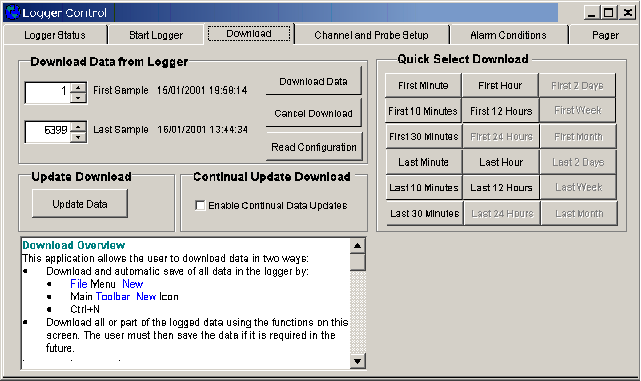
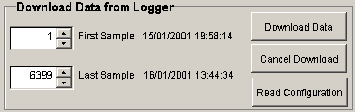
First Sample
Specifies the first sample of the range of samples to download. The date of that sample is also displayed.
Last Sample
Specifies the Last sample of the range of samples to download. The date of that sample is also displayed.
Download Data
This will download the current data as specified in the First sample and Last sample boxes from the connected logger
Cancel Download
Used to cancel the current download. Older logger may not allow a download to be canceled.
Read Configuration
Reads the current configuration from the connected logger and updates the last Sample area with the total samples stored in the logger.

Update Download
If you have already downloaded data from a connected logger and wish to update the data while the logger is still connected the Update Data button will download any new data and add it to the Connected Loggers dataset.
Continual Update Download
If you wish to continually update data from the currently connected logger, tick the Enable Continual Data Updates box. The time interval between automatic updates is set in the >>>Tools Options... [Comms] screen
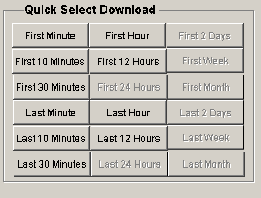
Quick Select Download
The Quick Select Download is used to download a section of data from a predefined period. Buttons will become available as more data is logged. This function is not available on all loggers.