


|
|
|
|
|
>>> File: Join...
>>> 
The Join function is used to combine the data from two or more loggers into one dataset. Because the dataset is derived from a number of loggers, this is referred to as a Derived Dataset.
The Join function displays the Join Dialog Box. 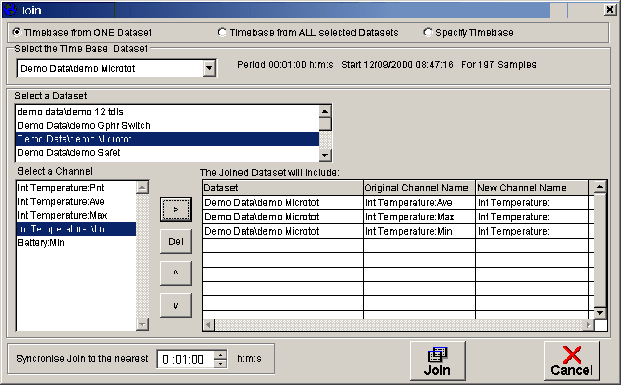
The time base (Start DateTime, Stop DateTime and Sample Period) of the new joined dataset can be set in three different ways:
1... It can be a copy of the time base from a dataset that already exists on your system
2...A time base can be created that will include all all data from ALL the datafiles that are selected to create the join dataset
3...The user can specify a Start DateTime, Stop DateTime and Sample Period
Radio buttons at the top of the Join Dialog box are used to select the required time base.

If "Timebase from ONE Dataset" is selected the Dataset to be used as the time base must then be selected.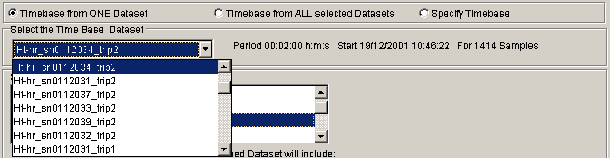
Once the time base has been selected, the user selects the datasets that are to joined then selects channels from the datasets and moves these channels to the Joined Dataset grid using the mover buttons.
Select a dataset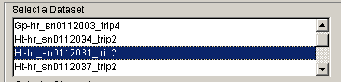
Select the required channels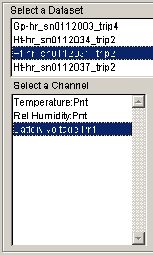
Use the mover buttons to move the required channels to the "Joined Dataset Grid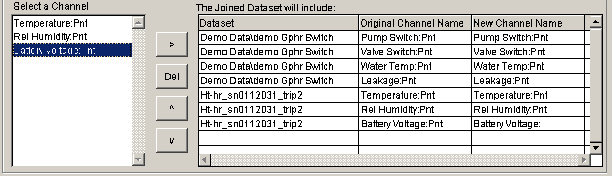
The "Joined Dataset" grid includes a column labeled "New Channel Name". The name of the channel in this column can be changed. This new channel name will be used in the joined dataset.
When a number of different datasets are joined the sample periods and start times of the datasets may well be different. To accommodate this, the Join function uses a syncronisation time when joining the datasets. If two datetimes are within this syncronisation time they are considered to have the same sample time. 
When the timebase, required datasets and channels, new channel names and syncronisation time have been selected the Join button is used to create the new joined dataset.
A dialog box will then ask for a file name for the new joined dataset.
The progress of the join operation is shown on the status bar
One complete the new dataset will be added the the systems dataset history and the new joined dataset will become the current active dataset.