|
|
|
|
|
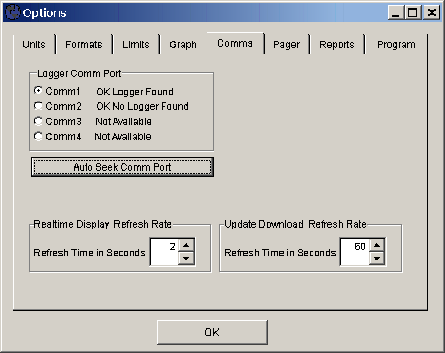
>>> Tools: Options... [Comms]
The Comms tab of the Options screen is accessed from the Tools menu. It is used to select or auto detect the serial communications port of a connected logger to set the time interval for the Real Time Display Refresh Rate. Baud rates and other communication settings are selected automatically by the application. The Auto Select Comm Port will test all comm ports available on the computer and look for a logger connected to the port. If a logger is found, the port it is connected to will be selected automatically.