


|
|
|
|
|
>>> Tools: Setup Remote Modem
This function is used to configure the modem that is going to be connected to a logger. Once the modem has been configured it can be used by the logger to communicate over the telephone network.
The modem must be setup so that on power up it is in the following state:
The commands to place the modem into this state may differ slightly from modem to modem. Consult your Modem's User Manual. Generalized commands that should work with most modems are as follows:
The Setup Remote Modem dialog box contains text boxes with these general commands. If the commands are different for your modem, enter the correct commands in the appropriate text box.
Connect the modem to a spare serial port on your computer with the cable supplied with your modem.
Select the port used (Comm1 to Comm4) from the Modem Comm Port box
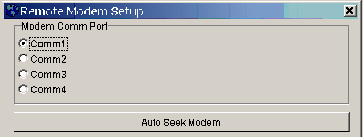
If you do not know the port number of the serial port you have used, click on the Auto Seek Modem button. This will test all your comm ports for modems.
If you have an internal modem in addition to the external modem you are setting up for logger control, both modems will be found during the auto seek procedure and you will still have to manually select the external modem from the two modems that will be found.
Check that the generalised commands provided will work with your particular modem and make any changes that may be necessary.

Click the Send button
As the commands are sent to the modem, progress will be reported on the dialog box status bar.
The commands, sent to the modem, switch off command echo and result codes so the program cannot determine if all commands have been actioned by the modem. It is therefore necessary to test the modem locally before setting up a logger/modem out in the field.
(You will require access to two telephone lines)